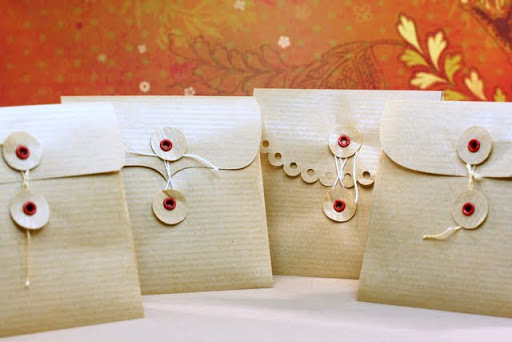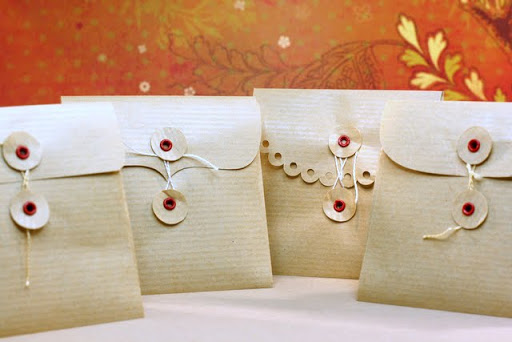
Since I have posted my new envelope templates I got a number of emails asking me for more formats. So I have converted the files and now you can get four different formats in the available zipped file. The formats are:
.PDF for all those who don’t own a digital cutter, just print and cut with scissors
.GSD, .DXF, .SVG for your digital cutters.
Is there another format I haven’t converted to and you would like? Please let me know!
To download the updated file go here and scroll down.
This weekend I am not making a card but a set of envelopes to fit your 3×3 cards. I had an eye on these cute little envelopes by Maya Road here but they are always out of stock. So I decided I should make my own.
Enjoy the video and scroll down to download the templates.
Don’t forget to leave a comment cause I love reading them.
Supplies/tools:
- Digital Cutter (CraftRobo)
- Kraft paper
- Crop-a-dile
- 1/8 red eyelets
- string
Download:
Click on the image below to download a zipped file containing all 4 envelopes in .SVG format for your digital cutter and also in .PDF format for those of you who cut them with good old scissors. If you need the files in different format contact me. I am happy to help
UPDATE: The file now contains 4 formats (PDF, SVG,GSD, DXF)
- Downloaded (2613) times
If you used these templates to create your envelopes do link your projects below. Me and my visitors would love to see those envelopes in different colors and patterned papers!
I have a new page on my sidebar called “Free Digital Templates”.
There is a list of all the digital templates available on my blog. I decided I should put them all in one place so it’s easier for you to find them. Now you don’t have to look through all my old posts.
Check it out!
And I’d like to send a special hello to Rosana , Alba & Maria,
my Spanish friends !
I send you greetings from Greece and thank you so much for reading my blog and watching my videos! Your friend Particia told me all about you!
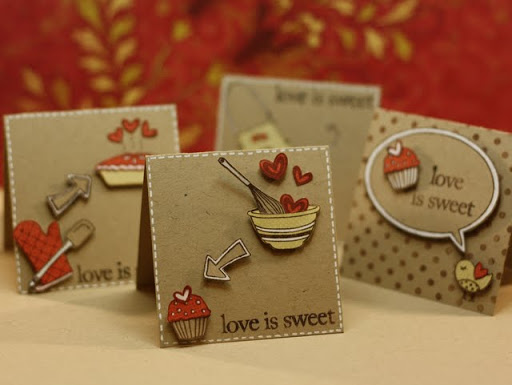
This weekend I created a Valentine’s Set of 4 cards. The cards are all 3×3. I hope you like them!
Scroll down to see a photo of each card, to watch the video and see the list of supplies. Do leave a comment! I love reading them!
I am gonna post a new video later this week that shows how to create little cute envelopes for 3×3 cards.
Also I am gonna put digital templates for these envelopes available for free on my blog. Subscribe to my blog (click subscribe on the sidebar) and follow me on twitter!
Enjoy the video here or on YouTube for a bigger screen and HD quality.
Weekend video will be one day late… had some problems with my laptop… I think it needs format ASAP. So Monday night …
BUT keep in mind the video shows a set of 4 cards! And another video is following making cute little envelopes for the set in a couple of days. Oh! and some free digital templates will be available for downloading later this week …
It’s time to announce the winner of the $25 gift certificate!
Your cards are amazing! I could not possibly choose just one to win. So I decided to use a random number generator.
Congratulations Arlene! I’ll contact you by email!
Thank you all so much for participating and trying out Inlinkz, the new linking system!
All your submissions are still available and wrapped up in a thumbnail gallery here, using Inlinkz features. Click on the card and visit creator’s blog!
Here is a little 3×3 Valentines card. I wanted to create something clear and simple and this is what I came up with. I am submitting this card to this week’s Caardvarks challenge since their theme is “Red Heart”.
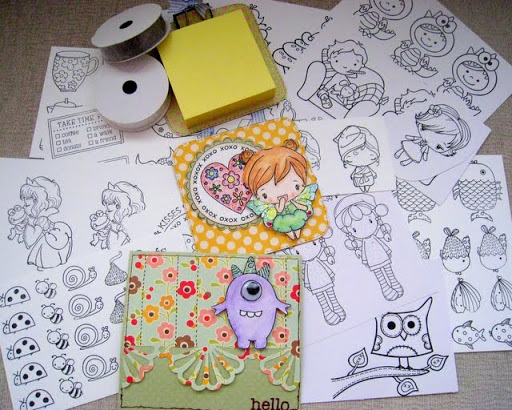
Today I got an envelope full of goodies from her! I didn’t only got this wonderful post-it holder but she also threw in a couple of ribbons, a great greeting card, a handmade magnetic bookmark and a bunch of stamped papers! My little girl Maria (4 years old) went crazy when she saw them. She wanted to color them all with my copics! I managed to save quite a few of the stamped images!!! LOL
Anyway here is a photo of the goodies (the beautiful bookmark isn’t in the photo… I guess Maria had it on her hands at the moment I took the photo!)
Patricia’s blog is great. She makes wonderful cards and she even has a page with step by step tutorials.
Thanks again!
The Blog Candy for a chance to
win $25 gift certificate for twopeasinabucket
is still running! Link you favorite card and join HERE!
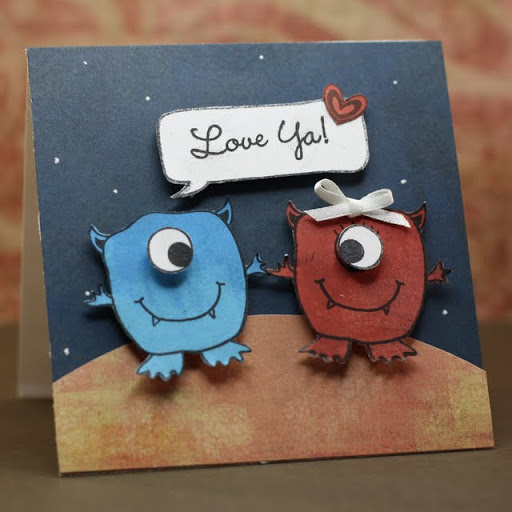
This weekend’s card is so cute and I had such fun making it! I decided to make a funny Valentine’s card with no traditional colors. I also have to say that this card is my daughter’s favorite so far (she is 4 years old).
So here it is.
I have used the same monster stamp to make a male and a female alien. Watch the video below for a “how-to”!
Are you still using Mr. Linky for your challenges and blog candy? Are you happy with it? If not here are some good news for you!
Me and my husband (both computer developers) have launched InLinkz!
It is free, stable, easy to use, displays statistics and many more! In addition it is highly customizable so you can even set if you wish to display your readers’ links as a text or as thumbnails! More features such as random winner draws and voting on submissions will be implemented in the near future!
Did you know Kristina Werner has tested it and used it in her last challenge?
You are invited to try it out and contact us for more ideas/suggestions since we are still adding features. If you need any help there is also an Inlinkz blog and you can follow us on tweeter for news and updates. Please do leave a comment if you like it or send us an email.
Blog Candy!
To celebrate and demonstrate the new tool here is a blog candy!
Win a $25 gift certificate for
www.twopeasinabucket.com
RULES:
1. Link a card you created this month and it’s your favorite. Please link directly to your blog post or flickr photo, using Inlinkz below.
2. Spread the word by posting on your blog about this candy! You can use this image on your post if you like.
Submissions end next Friday 22nd of January, midnight GMT+2. I’ll pick my favorite card and post the winner on Saturday 23rd.
Note: You know how much time you have left for submitting cause it’s written next to the “Add your link” button.